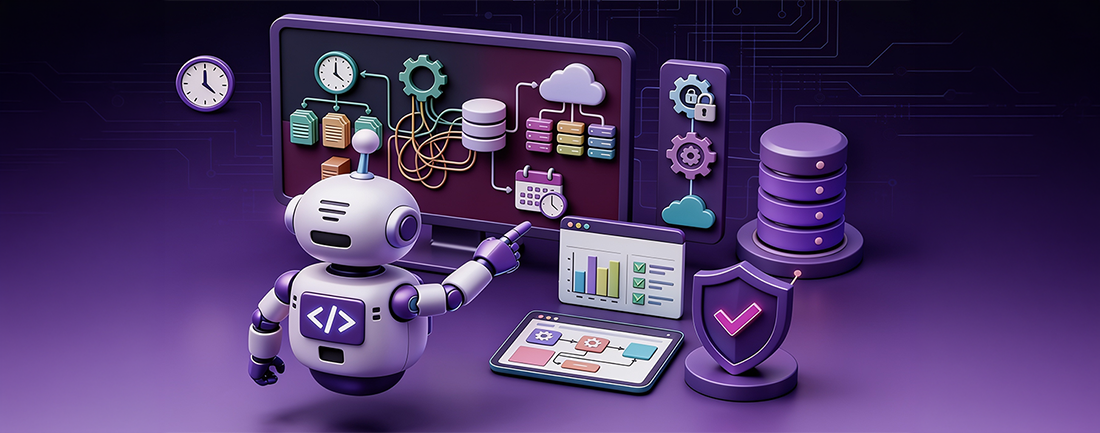
What is Automation Testing?
Manual testing involves humans checking software for bugs and quality against requirements. Automation testing performs the same tasks without human intervention, providing results automatically.
Why Choose Automation Testing?
There are several reasons to prefer automation testing over manual testing. Here are a few:
1. Higher Accuracy: Automation eliminates human errors, ensuring precise testing results.
2. Scaling: Automation allows for efficient testing at a larger scale.
3. Faster Turnaround Time: Testing cycles are completed much faster with automation.
4. Cost-Efficiency: Automation reduces costs by integrating long-term software infrastructure.
Best Practices for Test Automation:
1. Understand the Application: Begin by thoroughly analyzing the software to grasp its intricacies and align testing strategies with domain trends.
2. Domain Research: Conduct extensive research to gain a deep understanding of the domain, enabling more effective testing execution.
3. Evaluate Test Cases: Ensure test cases are written in a clear and understandable manner, with a focus on the feasibility of automation tools.
4. Choose Automation Tools Wisely: Select automation tools based on platform compatibility, tester expertise, feature richness, and ease of use.
5. Record Test Results: Maintain comprehensive records of test results to facilitate product stabilization and future enhancements.
6. Select Test Data Thoughtfully: Carefully choose test data to ensure the quality and efficacy of testing procedures.
7. Prioritize Suite Execution: Identify and regularly execute high-priority test scripts to continually assess the application's performance.
8. Distribute Efforts Effectively: Allocate test creation tasks based on the skill levels and expertise of team members to optimize testing efforts.
9. Utilize Appropriate Devices: When conducting device testing, use suitable devices to obtain accurate and reliable results.
10. Emphasize Negative Testing: Prioritize negative testing to identify system vulnerabilities and deliver a robust product to end-users.
Comparison between Traditional Automation & FireFlink
1.Programming:
- Traditional automation relies on basic programming skills, which are essential for logical thinking.
- Fireflink requires minimal to no programming knowledge, making it accessible to a wider range of users.
- Fireflink's rich Natural Language Processing (NLP) capabilities provide intuitive prompts, enhancing user-friendliness.
- Users don't need familiarity with specific methods or classes, unlike traditional automation frameworks.
- Knowledge of web elements enhances the automation experience, and Fireflink's engaging UI encourages exploration of its features.
2.Limitations of API and Integration:
Traditional Automation:
- Managing script integration and executing API tests can be cumbersome and require additional tools or libraries.
- Traditional frameworks may lack comprehensive support for manual and automated testing methods simultaneously.
- Handling API requests and responses manually may be complex, leading to potential errors and inefficiencies.
- Ensuring the security of data during API interactions may require additional configurations or tools.
FireFlink:
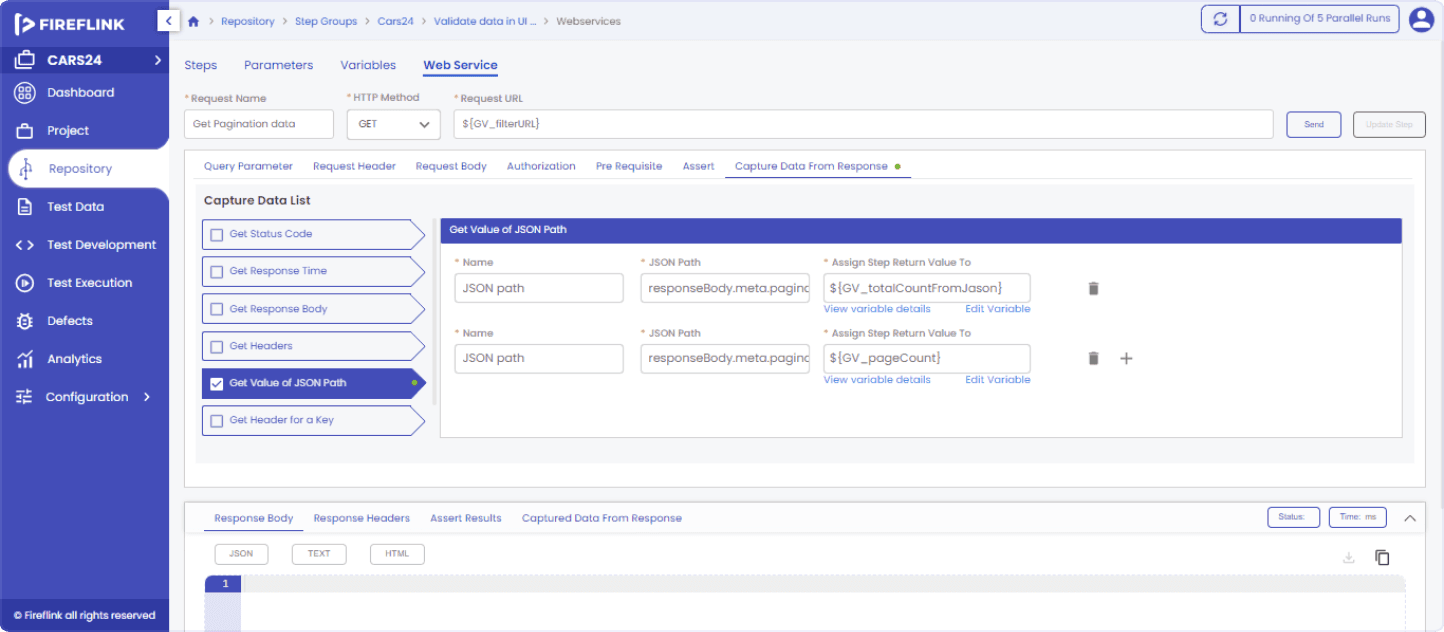
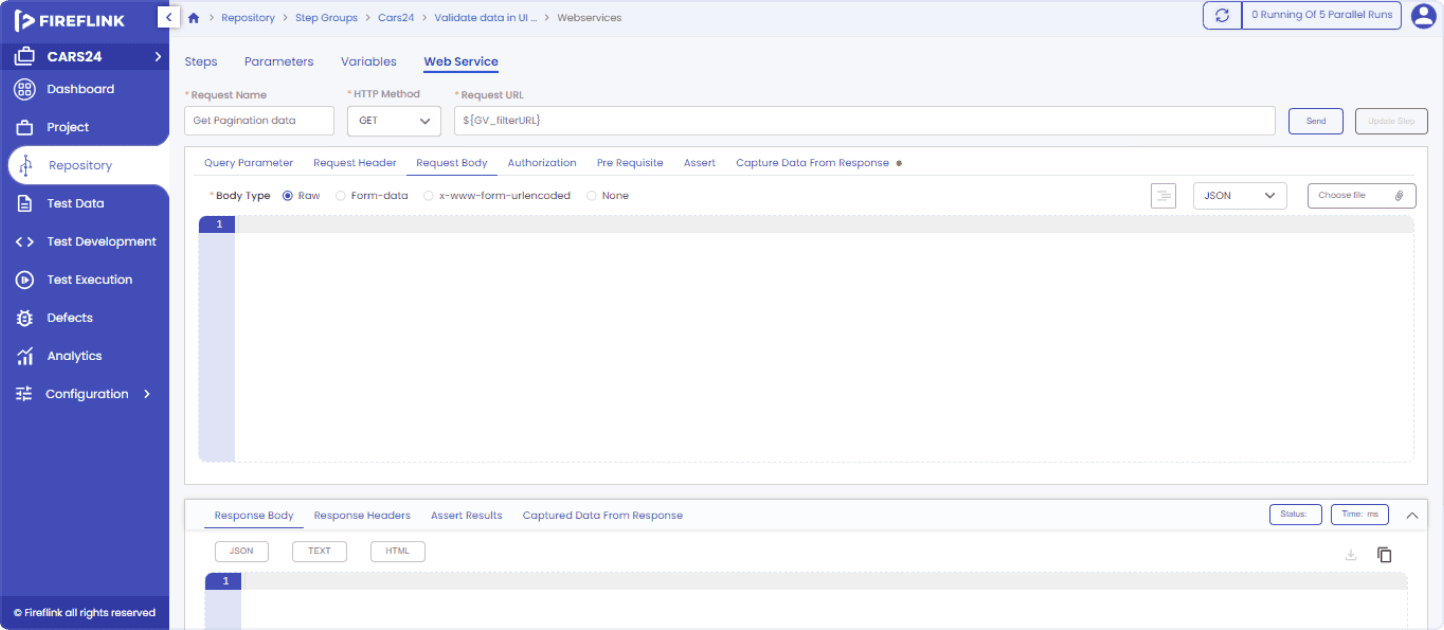
- FireFlink simplifies the process of managing script integration and enables seamless creation and execution of API tests.
- It offers support for both manual and automated testing methods, providing flexibility to users.
- With its Request and Response Management capabilities, FireFlink facilitates the effective handling of API requests and responses.
- The platform ensures data encryption for enhanced security during the transmission of requests and responses, supporting chained requests.
API in Fireflink
3.Suite Execution:
Traditional Automation:
- Suite execution options may be limited, often restricted to single-machine environments.
- Scaling up to multiple machines for parallel execution of test scripts may require manual setup and configuration.
- Scripts written for specific environments may not be easily adaptable for execution in different environments without significant modifications.
- Scheduling tests for specific times, such as daily deployments, may involve manual intervention and setup.
FireFlink:
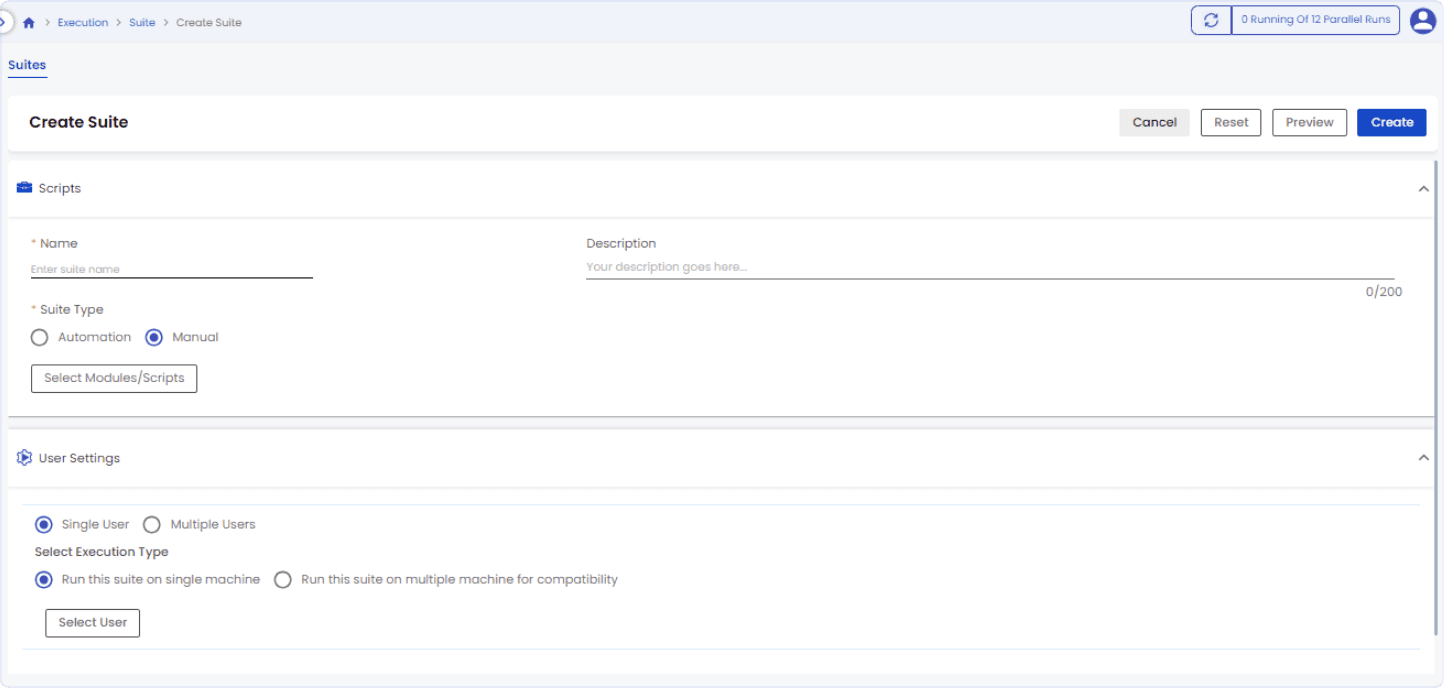
- FireFlink offers flexible suite execution options, allowing users to choose between single-machine and distributed-machine environments.
- Multiple machines can be utilized in parallel for executing suites with large volumes of test scripts, enhancing efficiency.
- The platform autonomously distributes test scripts across machines for execution, reducing manual effort and ensuring seamless execution.
- It provides user-friendly features for running scripts across different environments, with customization options for test data.
- FireFlink's scheduler feature enables users to schedule test executions according to specific time requirements, facilitating automated testing workflows for daily deployments.
Suite Creation in Fireflink
- Cloud Device Integration: FireFlink integrates seamlessly with cloud-based testing platforms such as BrowserStack, Sauce Labs, and LambdaTest.
- Cloud Machine Environment Support: It also supports integration with cloud machine environments like AWS and Azure, offering flexibility in test execution.
- CI/CD Pipeline Integration: Users can trigger FireFlink suite executions directly from their CI/CD pipelines, including popular tools like Jenkins, Bamboo, and Travis.
- Enhanced Testing Efficiency: The wide range of integration options ensures seamless automation testing across different platforms and environments, ultimately enhancing testing efficiency and scalability.
Scheduler

- Seamless Integration: FireFlink smoothly integrates with CI/CD tools, enabling automatic post-execution actions like notifications and PDF report generation.
- Enhanced Collaboration: This integration fosters collaboration by centralizing test execution management, facilitating efficient tracking and resolution of issues.
- Efficient Tracking: Team members can easily track test execution status and address concerns promptly within FireFlink.
- Streamlined Management: FireFlink's integration with CI/CD tools streamlines test execution management, ensuring quality throughout the development process.
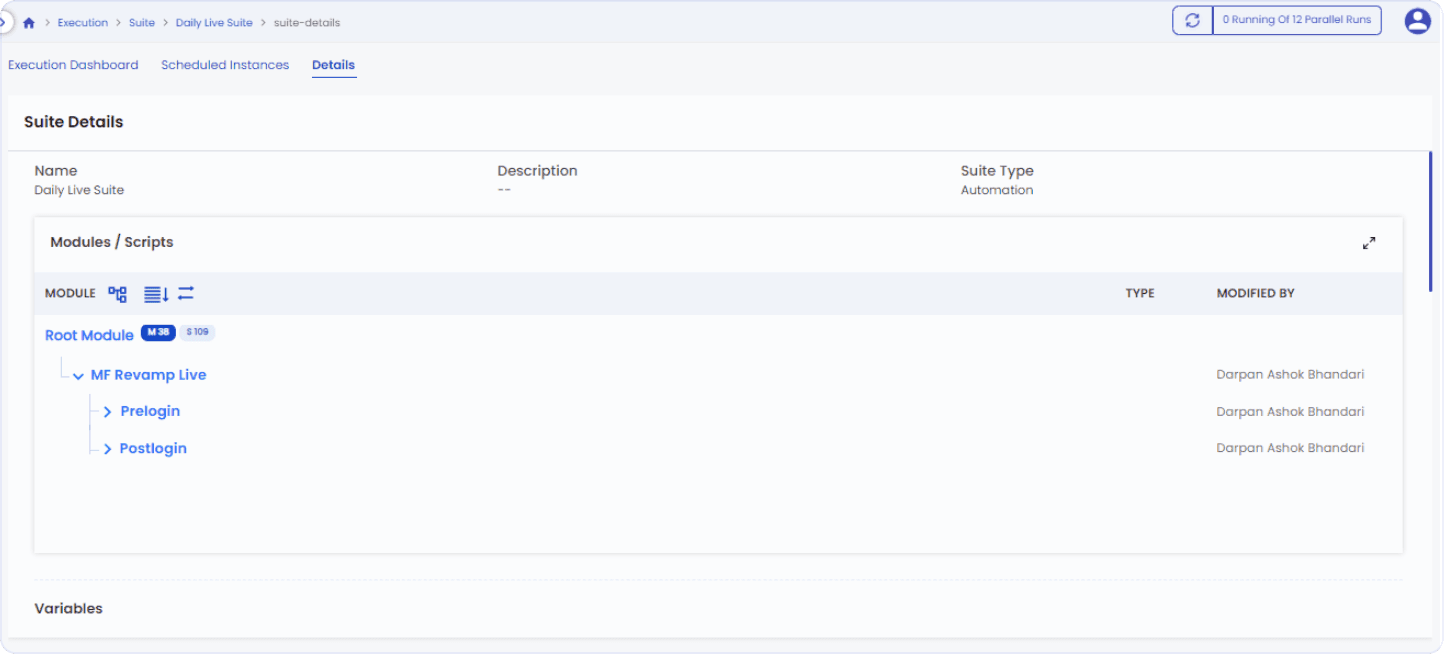
Detailed view of Suite
4.Automark:
Traditional Automation:
- Tagging functions are commonly used to label or identify elements within test scripts.
- Limited capabilities for grouping failures and identifying common sources across multiple test scripts.
- Manual effort is required to identify and address failure reasons, leading to potential delays in troubleshooting.
FireFlink:
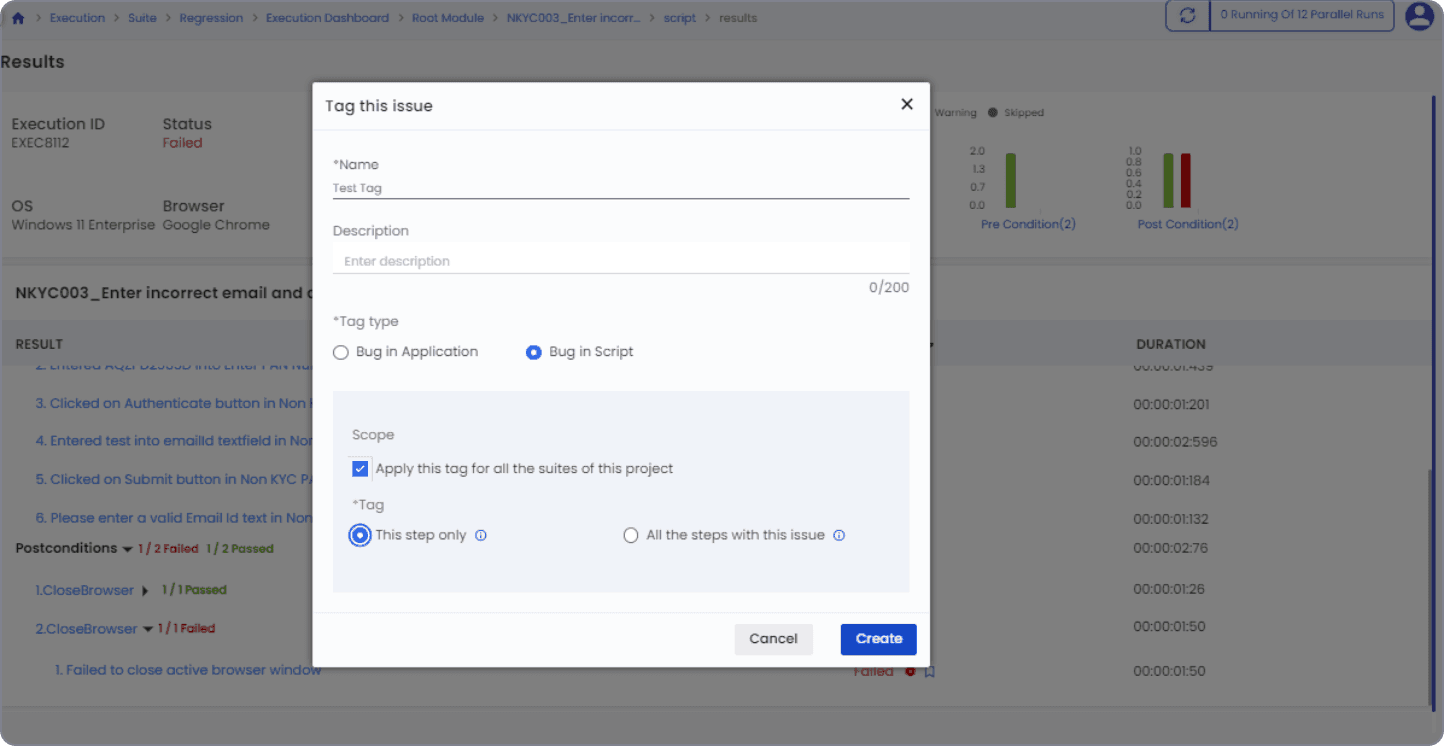
- Automark allows for tagging failures along with their sources and reasons, facilitating easy grouping of failures with the same source.
- Streamlines the process of identifying failure reasons by automatically assembling and categorizing failed test scripts.
- Offers flexibility in issue management by allowing tags to be applied to individual steps or across all steps with the same issue.
- Provides options to edit or delete tags, and mark them as resolved once issues are addressed, enhancing overall efficiency and management of test failures.
Defect tagging
 Edit defect tag
 Delete defect tag
 Resolve defect tag

Conclusion
A proficient automation team understands the significance of meticulous planning and prioritization in their testing processes. Automation testing plays a crucial role in the Software Testing Life Cycle (STLC) and every application, regardless of its complexity, presents unique testing requirements. By adhering to best practices, teams can maximize the effectiveness of their tests. The true efficacy of automation testing is realized when these practices are harmoniously integrated and balanced within the testing framework.