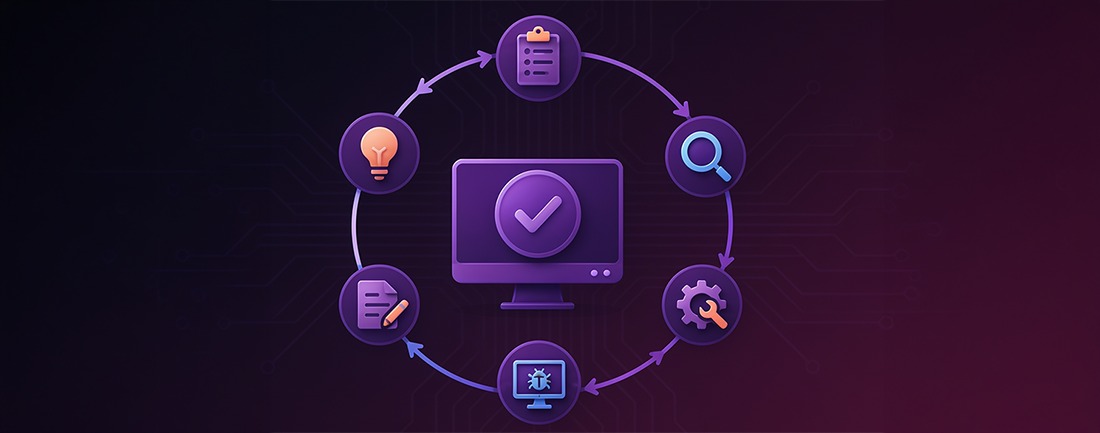
Introduction:
Software Testing Life Cycle (STLC) is a structured approach to ensuring software quality compliance. It employs a sequential approach to simplify the testing process. The Software Development Life Cycle (SDLC) covers the complete software development process, while STLC focuses solely on testing activities.
STLC plays a foundational role in testing applications efficiently and effectively.
In this blog post, we'll take a close look at the STLC, discussing its advantages, limitations, and how FireFlink provides solutions.
Let’s begin with
What is STLC?
An essential step in software development, STLC ensures that quality standards of software are met through thorough testing. Tests are carried out in a structured approach using a standardised strategy that spans various phases. These stages of the product life cycle of testing (STLC) may undergo multiple iterations before the software application is ready for release.
Advantages of STLC
Implementing the STLC helps teams stay organised and ensures that they are aligned with project requirements. By establishing clear expectations, timelines, and goals for every aspect of a project, teams can utilise the Software Testing Life Cycle (STLC) to improve efficiency and maintain consistency.
In addition, the STLC enables extensive testing of new features before their integration into the application, guaranteeing thorough validation and compliance with quality standards.
There are several significant benefits of the Software Testing Life Cycle (STLC):
-
Adopting shift-left testing: This allows teams to start testing earlier in the development cycle, enabling them to proactively identify and resolve potential issues.
-
Improved tracking: By implementing a structured framework with clear goals and phases, QA teams can better monitor their progress and effectively address any discrepancies that may arise.
-
Faster bug detection: Testing at earlier stages of software development helps identify and fix bugs more quickly, leading to faster resolution and smoother project progress.
STLC vs. SDLC
The STLC (Software Testing Life Cycle) and SDLC (Software Development Life Cycle) are crucial aspects of the software development process, each fulfilling different roles while overlapping at different stages.
Understanding STLC (Software Testing Life Cycle):
- Focuses on the testing activities involved in the software development process.
- Aims to integrate testing into the software development life cycle at the earliest stages.
- Ensures that requirements undergo comprehensive testing and that features meet the specified criteria.
- Works in parallel with the different phases of the software development life cycle (SDLC), making sure that testing tasks are in sync with the various milestones of the development process.
- Implement the page object model and screenplay pattern.
- Requires effective communication among stakeholders, DevOps, and testing teams to ensure the verification of requirements, the relevance of tests, and the proper application of results.
Understanding SDLC (Software Development Life Cycle):
- Mainly concentrates on analysing requirements and developing features in accordance with them.
- Allows for feature development to be flexible, even in cases where features go beyond needs.
- Works closely with the Software Testing Life Cycle (STLC) team to ensure that testing activities align with development milestones and objectives.
- Collaborates with stakeholders, DevOps, and testing teams to ensure a clear definition of requirements and alignment with project objectives.
In short, the SDLC is responsible for developing features that meet the requirements, while the STLC focuses on testing these features to ensure their validity. Both processes require close collaboration and alignment to ensure the success of the project.
STLC Phases:
STLC comprises several phases, each with defined entry and exit criteria, guiding the testing process from inception to closure.
Phases of STLC with Entry and Exit Criteria:
1.System Study:
- Thoroughly analyze the system under test (SUT).
- Understand functionalities, requirements, and objectives.
- Comprehensively study system architecture.
- Entry Criteria: Defined system requirements and objectives.
- Exit Criteria: Comprehensive understanding of system functionalities and architecture.
2.Prepare Test Plan:
- Formulate a detailed test plan.
- Define testing objectives, scope, approach, resources, timelines, and risks.
- Serve as a roadmap for testing activities.
- Entry Criteria: Completed system study and finalized requirements.
- Exit Criteria: Approved test plan including objectives, scope, and resources.
3.Write Test Cases and Prepare Test Data:
- Develop test cases based on system requirements.
- Define scenarios, test inputs, expected outcomes, and execution steps.
- Prepare test data for comprehensive coverage of test scenarios.
- Entry Criteria: Approved test plan and documented system requirements.
- Exit Criteria: Developed test cases and prepared test data for execution.
4.Write Traceability Matrix:
- Create a requirement traceability matrix (RTM).
- Establish a traceable link between test cases and requirements.
- Track the progress of testing activities.
- Entry Criteria: Completed test case development and finalized requirements.
- Exit Criteria: Established traceability between requirements and test cases.
5.Test Execution:
- Execute test cases in the defined test environment.
- Record test outcomes and validate functionality, performance, and usability.
- Employ both manual and automated testing techniques.
- Entry Criteria: Completed traceability matrix and configured test environment.
- Exit Criteria: Executed test cases and documented test outcomes.
6.Defect Tracking:
- Log, track, and manage defects identified during testing.
- Assign priority and severity levels to each defect.
- Collaborate with the development team to resolve issues.
- Entry Criteria: Executed test cases and identified defects.
- Exit Criteria: Tracked, prioritized, and resolved defects.
7.Test Execution Report:
- Summarize testing activities, including test coverage, results, and defects identified.
- Provide insights into the quality of the system under test.
- Serve as a valuable artifact for stakeholders to assess testing outcomes.
- Entry Criteria: Completed test execution and captured test results.
- Exit Criteria: Generated test execution report summarizing test coverage and outcomes.
8.Retrospect Meeting:
- Reflect on the testing process and project outcomes.
- Discuss lessons learned, challenges faced, and areas for improvement.
- Identify strategies for refining the testing process in future projects.
- Entry Criteria: Completed test cycle and generated test execution report.
- Exit Criteria: Conducted retrospect meetings and identified areas for improvement. These phases collectively form the Software Testing Life Cycle (STLC) and play a crucial role in ensuring the quality and reliability of software applications.
Challenges & Pain Points:
Here are some of the challenges and pain points commonly encountered in software testing:
- Unclear Project Requirements:
- Difficulty in creating effective test cases when project requirements are unclear or incomplete.
2.Resource Constraints:
- Scarcity of testing resources such as time, personnel, and tools, leading to limitations in conducting thorough testing.
3.Test Data Management:
- Challenges in creating and maintaining diverse and relevant test data for various testing scenarios.
4.Test Case Maintenance:
- Ensuring thorough and efficient test case development and keeping them up-to-date as the application evolves.
5.Dependency Management:
- Identifying and managing dependencies in test execution, particularly in complex systems, to prevent issues during testing.
6 Defect Tracking and Management:
- Ensuring comprehensive defect identification and logging into appropriate defect tracking tools throughout test execution.
7.Test Reporting and Metrics:
- Generating meaningful test reports and metrics that provide valuable insights into testing progress and software quality.
8.Regression Testing:
- Managing and executing regression tests effectively as the software undergoes changes or updates.
9.Test Automation Challenges:
- Identifying suitable test cases for automation and maintaining automated scripts to ensure their effectiveness and reliability over time.
Industry Trends
Addressing these challenges requires a combination of effective communication, thorough planning, adequate resources, and utilization of appropriate testing methodologies and tools.
Here are some industry trends in software testing:
1.Shift Left Testing:
- Testing the program as early as possible rather than waiting until the end of the development cycle.
- Saves time and resources while improving quality by identifying issues sooner.
2.Automation:
- Automation is a major trend driven by DevOps and Continuous Integration/Continuous Deployment (CI/CD) approaches.
- Critical for achieving speed and agility in software delivery.
3.Continuous Testing:
- Testing the program continuously throughout the development cycle rather than at discrete phases.
- Results in faster feedback, earlier fault discovery, and higher quality assurance.
4.Cloud-Based Testing Solutions:
- Increasingly popular due to scalability, flexibility, and low cost.
- Organizations leverage cloud infrastructure for test environment provisioning, execution, and performance testing.
5.AI/ML Testing:
- Utilizes artificial intelligence and machine learning to enhance the testing process.
- Enables quicker, smarter, and more accurate testing, including test case generation, data analysis, and outcome prediction.
These trends reflect the industry's focus on improving efficiency, speed, and quality in software testing through innovative approaches and technologies.
FireFlink Solutions
FireFlink is an innovative test automation platform reshaping the landscape of testing. Unlike conventional solutions, FireFlink is engineered to significantly expedite the testing process. By offering features like NLP-based test scripting, integrated defect management, test data handling, analytics, and reporting, FireFlink empowers QA teams to streamline workflows and enhance efficiency.
Here's how FireFlink addresses each challenge:
- Defect Management:
- FireFlink provides a built-in Defect section where QA teams can easily raise any defects encountered during application testing. This centralized platform ensures efficient tracking, management, and resolution of defects, simplifying the testing process.
2.Test Data Management:
- FireFlink offers a dedicated section for managing variables, allowing users to edit, remove, or add variables as needed. Users can define local, global, or project environment variables and access detailed information such as name, value, creator, and modification timestamps. This feature facilitates seamless test data management and customization.
FireFlink vs a Traditional Tool on Test Data Management
3.Analytics and Reporting:
- FireFlink's analytics feature enables QA teams to conduct methodical and analytical studies of suite execution statistics and data. By leveraging analytics, QA teams can gain valuable insights into testing operations, identify trends, and make informed decisions to improve overall testing quality.
4.UI Locator Generation and Repository:
- The FireFlink Finder tool generates optimal locators for UI elements with just a single click. Users can easily identify locators and store them in a centralized repository on the FireFlink platform. This ensures consistency and efficiency in UI element identification and maintenance across projects.
FireFlink vs a Traditional Tool on Generating UI Locators
- Adaptability to Application Changes:
- FireFlink incorporates features like Smart Waits and Dynamic X-Paths to overcome challenges posed by UI reskin. Smart Waits intelligently manage synchronization issues by dynamically adjusting wait times, while Dynamic X-Paths ensure robust element identification even in evolving application environments. These features improve test stability and reliability, minimizing the impact of application changes on testing activities.
Overall, FireFlink's comprehensive suite of features and capabilities address various testing challenges by providing efficient defect management, streamlined test data management, insightful analytics, simplified UI element identification, and robust adaptability to application changes.
Real World Benefits of FireFlink
Let's explore a real-world scenario where FireFlink played a pivotal role in addressing automation challenges for a SaaS-based client:
Challenges:
- Managing Multiple Suites and Test Data: The client struggled with maintaining multiple test suites for various environments and organizing test data efficiently.
- Time-Consuming Result Analysis: Limited time for full regression testing in each sprint led to time-consuming result analysis in each test cycle.
- Complex Mobile and TV Platform Automation: Automating mobile OTP retrieval, Gmail verification, and incorporating automation on TV platforms using traditional tools proved to be complex.
- Validation of Data Integration: Validating data integration across multiple services and handling Backend API responses with the database presented intricate challenges.
FireFlink Solutions:
-
Unified Test Suite Mapping: FireFlink created a single test suite that could be mapped to multiple environments with different data sets, ensuring organization and efficiency.
-
AutoMark Feature for Failure Analysis: FireFlink's 'AutoMark' feature simplifies failure analysis by automatically tagging and grouping similar bugs across test suites. This efficient process saves valuable time in identifying and addressing recurring bugs.
-
NLP Integration for Streamlined Automation: By integrating NLP capabilities, FireFlink accelerated mobile automation test scripting by four times compared to traditional testing tools. NLPs were also used for TV and API automation within a single script.
4.Versatile Automation Script: FireFlink developed a versatile automation script capable of handling GUI, backend, and database validation.
Benefits:
-
Efficient Testing Operations: By following the STLC procedure, all relevant testing operations were efficiently planned, executed, and documented. Time Savings: FireFlink's one-click element capture feature saved considerable time during testing activities.
-
Platform Compatibility: FireFlink proved to be the ideal solution for automating test cases across various platforms including Web, Android, iOS, and API.
-
Unified Test Execution: With a single test suite mapped to multiple environments, test execution became seamless and consistent.
-
Integrated Reporting: FireFlink facilitated the generation of downloadable reports post-execution, configurable for communication platforms, enhancing collaboration and communication within teams.
In this case, FireFlink's innovative features and solutions proved instrumental in overcoming automation challenges, ultimately improving testing efficiency and effectiveness for the SaaS-based client.
Conclusion:
To summarise, the Software Testing Life Cycle (STLC) plays a crucial role in guaranteeing the quality and dependability of software by employing well-organized testing procedures. With its extensive feature set to enhance defect management, accelerate testing, simplify test data handling, and deliver actionable analytics, FireFlink stands out as a transformative solution In practical settings, FireFlink emerges as a powerful tool for automating testing processes, thereby reducing manual labour and enhancing efficiency throughout the Software Testing Life Cycle (STLC).