Introduction:
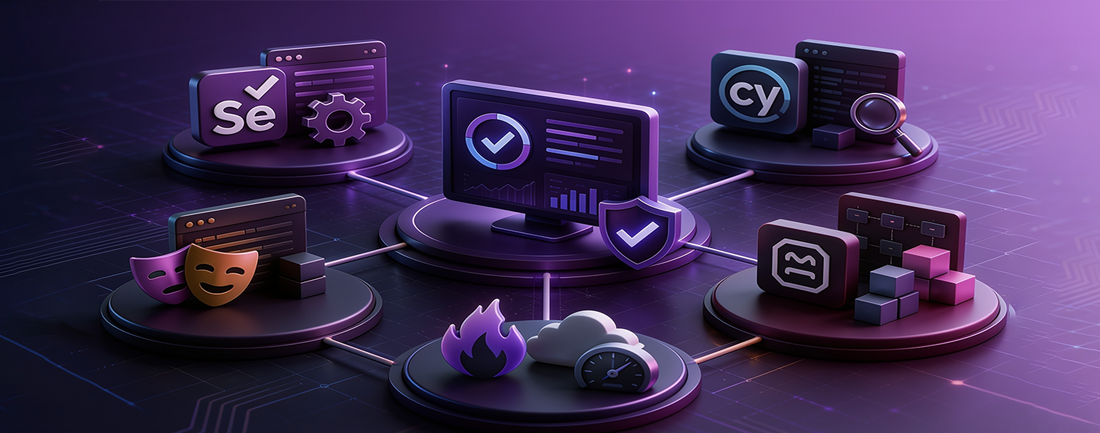
Navigating the diverse landscape of automation testing tools requires a keen understanding of each tool's strengths, weaknesses, and suitability for specific testing needs. This comparative analysis explores five prominent automation testing tools: Selenium, Cypress, Playwright, Robot Framework, and FireFlink. Each tool brings its unique features and challenges to the table, shaping the landscape of automated testing in distinct ways. By examining these tools in detail, organizations can gain valuable insights into selecting the most appropriate tool to optimize their testing processes and achieve their quality assurance goals effectively.
Selenium
Selenium is an open-source automation framework widely used for web application testing. It provides support for various programming languages, including Python, Java, and Ruby.
Significance: As a critical component of modern software delivery practices, Selenium enables efficient regression testing, functional testing, and cross-browser compatibility checks.
Key Features:
-
Selenium WebDriver: The most popular component, allowing browser automation.
-
Broad Language Support: Developers can choose their preferred language for test scripting.
-
Community-Driven: A large community contributes to its growth and continuous improvement.
Challenges in Using Selenium
Despite its widespread adoption and capabilities in web application testing, Selenium presents several challenges and limitations that users must navigate. Understanding these challenges is crucial for effectively leveraging Selenium in software testing endeavors. Here are the key challenges associated with using Selenium:
-
Desktop Application Testing: Selenium lacks native support for testing desktop applications, necessitating the use of alternative solutions for automating tests on non-web-based software.
-
Web Services Testing: Automation testing of web services such as SOAP or REST is not directly achievable with Selenium. Users are required to use specialized tools for web service testing.
-
Built-in Object Repository: Unlike some testing frameworks, Selenium does not offer a built-in object repository,requiring developers to manage objects manually or use external object repositories and locator strategies.
-
Reporting Facilities: Selenium lacks an integrated reporting capability. It relies on external plugins like JUnit or TestNG for generating test reports.
-
Image Testing Limitation: Practical image-based testing is not directly supported by Selenium, potentially requiring integration with additional tools like Sikuli.
-
New Usage Challenges: Selenium may encounter compatibility issues with emerging technologies or unconventional usage scenarios, demanding users to adapt and troubleshoot accordingly.
-
Test Management Integration: Selenium lacks direct integrations with popular test management tools, often necessitating reliance on community forums for solutions.
-
Handling Popups and Frames: Processing popups or frames can be challenging in Selenium, particularly when dealing with dynamic web elements.
-
Skill Requirements: Effective test automation with Selenium demands a high level of skill and expertise from users, particularly in programming and Selenium's functionalities.
Community Support Dependency: As an open-source tool, Selenium heavily depends on community forums for technical assistance and troubleshooting.
- Language Dependency: Test scripts in Selenium WebDriver require proficiency in at least one of the supported programming languages, requiring additional skills for users.
Cypress
Cypress is a rapidly emerging tool rapidly emerging tool known for end-to-end user interface test automation. It excels in web integration testing.
Advantages:
- Speed and Reliability: Cypress executes tests quickly and reliably. Automatic Waiting: It automatically waits for elements to become available.
- Debugging Tools: Built-in debugging tools simplify troubleshooting.
- Focused on Front-End: Ideal for front-end testing within Chrome-based browsers.
Challenges in Using Cypress
Cypress is a powerful testing framework, yet it presents certain challenges and limitations that users should be aware of. These challenges can impact the choice and implementation of Cypress for testing purposes. Here are some of the key challenges associated with using Cypress:
-
Cross-Browser Execution: Cypress supports multiple browsers, but separate test executions are required for each browser. Users requiring concurrent cross-browser compatibility testing must seek alternative solutions to fulfill this requirement.
-
JavaScript-Only Test Cases: While Cypress caters primarily to developers with its JavaScript-centric approach, it restricts test case creation and execution solely to JavaScript. This limitation may present challenges for teams requiring multi-language support in their testing framework.
-
Limited Browser Support: Cypress currently supports a limited set of browsers, including Chrome, Firefox, Edge, Brave, and Electron. However, it lacks compatibility with browsers such as Safari and Internet Explorer (IE) at present. This could potentially limit the testing scope for some users.
-
No Native Mobile Testing: Cypress is exclusively focused on testing web browsers and does not support native mobile testing for applications on mobile phones or tablets. Users requiring native mobile testing capabilities may need to explore alternative testing tools to meet their requirements effectively.
Playwright
Developed by Microsoft, Playwright is a Node.js library that automates Chromium, Firefox, and WebKit browsers.
Unique Features:
- Unified API: Developers use a single API to create browser pages, navigate URLs, and interact with elements.
- Edge Automation: Since Microsoft Edge is based on Chromium, Playwright also supports Edge automation. Powerful Web Interactions: Provides robust APIs for complex web interactions.
Challenges in Using Playwright
Playwright offers a powerful set of browser automation capabilities; however, it also has certain implementation challenges. Here are the key challenges associated with using Playwright:
-
Browser Compatibility Challenges: While Playwright supports multiple browsers such as Chromium, Firefox, and WebKit, ensuring consistent behavior across different browser engines can be complex. Developers need to carefully consider and address subtle differences in rendering and behavior.
-
Learning Curve for New Users: Playwright introduces a novel approach to browser automation, which may require developers to learn new concepts and APIs. Transitioning from other tools may involve a learning curve for users unfamiliar with Playwright's methodology.
-
Resource Intensiveness: Running tests with Playwright can be resource-intensive, particularly when dealing with parallel execution or large test suites. Proper resource management and optimization strategies are crucial to ensure efficient test execution.
-
Mobile Testing Limitations: While Playwright excels in web and desktop automation, its capabilities for mobile testing are still evolving. Native mobile app testing remains a challenge, and users may need to explore alternative solutions for comprehensive mobile testing.
-
Community and Ecosystem Maturity: Compared to more established tools like Selenium, Playwright has a smaller community and ecosystem. Finding comprehensive documentation, plugins, and community support may be less straightforward, requiring users to be more resourceful in finding solutions to their challenges.
-
Limited Cross-Browser Parallel Execution: Although Playwright supports parallel execution across different browser contexts, true cross-browser parallelism, where tests run simultaneously across different browsers, is not fully supported. Users may need to consider alternative approaches for achieving cross-browser parallel execution until this feature is fully developed and integrated into Playwright.
-
Robot Framework
Robot Framework is an extensible, open-source tool for automation testing.
-
Highlights:
- Keyword-Driven Approach: Test cases are written using human-readable keywords.
- Language Agnostic: Extends capabilities through libraries implemented in languages like Python and Java.
- Rich Ecosystem: A thriving ecosystem of libraries and tools.
Challenges in Utilizing Robot Framework
Despite its versatility and flexibility, Robot Framework presents certain challenges that QA teams should consider. Here are some of the key challenges associated with using Robot Framework:
- Steep Learning Curve: While Robot Framework offers a keyword-driven approach that simplifies test automation, newcomers may find it challenging to grasp initially. Extending the framework with custom libraries can be daunting for those unfamiliar with its intricacies, requiring a significant investment of time and effort in learning and mastering the framework.
- Limited Support for Non-UI Testing: Robot Framework is commonly used for UI testing but also supports API, database, and other testing types through external libraries. However, support for non-UI testing often depends on integrating appropriate external libraries. If your testing requirements extend beyond the user interface, you may need to integrate additional tools or libraries to fulfill these needs effectively.
- Strict Indentation Rules: Robot Framework enforces strict indentation rules in its test case files. While this ensures consistency and readability of test cases, it can also lead to subtle errors if not followed meticulously. Maintaining proper indentation becomes crucial for ensuring error-free test cases and avoiding unexpected behavior during test execution.
Common Challenges Faced by Popular Automation Tools
How FireFlink Addresses These Challenges
FireFlink Addresses the Above Challenges as follows:
- Hyper-Automation of Tests: FireFlink empowers hyper-automation for test script development, enabling tests to be created at four times the speed of most popular tools, thereby reducing the learning curve and time investment required for test creation.
- End-to-End Automation: FireFlink supports automation across various platforms, including web, mobile (Android & iOS), API, desktop, and enterprise applications, offering comprehensive test coverage for diverse testing requirements.
Single Script Multi-Channel Execution.
- Simplified Scripting: FireFlink simplifies test script development by enabling test engineers to automate scripts using simple English, eliminating the need for complex programming knowledge.
Scripting in Simple English
- Efficient Test Case Management: FireFlink offers a well-organized tree structure view of manual test cases and automation test scripts, facilitating efficient test case management and one-to-one traceability for every use case.
Test Development
Manual Test Case Template within FireFlink
Automation Steps in FireFlink
Defect Templates in FireFlink
- Third-Party Integrations: FireFlink provides pre-integrations with popular third-party tools and offers flexibility for custom tool integrations and version control, enhancing team collaboration and workflow efficiency.
Sample Integrations with FireFlink
- Strategic Locator Intelligence: FireFlink Finder generates optimal UI element locators seamlessly across platforms, including web, Android, iOS, and enterprise applications, with self-healing and auto-prioritizing capabilities, simplifying test script maintenance and enhancing reliability.
Captures Multiple Optimal Locators in FireFlink Finder Tool
Templatized Platform: FireFlink offers a highly customizable platform with multiple formats for reports, analytics, and dashboards, catering to business-specific requirements and providing actionable insights.
Custom Templates in FireFlink
-
Skill Requirements: FireFlink eliminates the need to learn any programming language, enabling both technical and non-technical users to develop automation scripts easily with readable steps.
-
Enriched UI: FireFlink offers a seamless user experience for report generation and suite analytics by default. This eliminates external dependencies.
Suite Report in FireFlink
- No Strict Indentation Rules: FireFlink follows automation standard indentation, without imposing additional strict indentation rules, thereby reducing the risk of errors and simplifying test script development.
Challenges FireFlink Solution
- Difficulties in integrating multiple frameworks for mobile and web testing, each using different technologies. A single script was developed to operate across multiple channels, leveraging Mobile and Web NLP (Natural Language Processing) alongside custom NLP solutions.
- Issues performing tap actions on inventory due to synchronization within the Android script. Implicit, explicit, and fluent waiting techniques were deployed in Fireflink’s NLP capabilities, successfully executing tap actions on the necessary elements with precision and efficiency.
- Difficulty in identifying dropdown elements using traditional automation setup, impeding progress. The FireFlink Finder tool managed UI elements present in dropdowns, streamlining the testing process.
Conclusion:
Selenium, Cypress, Playwright, and Robot Framework are well-established automation frameworks, each offering unique strengths for different testing requirements. FireFlink complements these capabilities by providing an AI-powered, unified test automation platform that simplifies test creation, execution, and management. With features such as scriptless automation, end-to-end platform support, intelligent locator management, and seamless third-party integrations, FireFlink helps organizations accelerate software delivery while improving testing efficiency, scalability, and reliability.