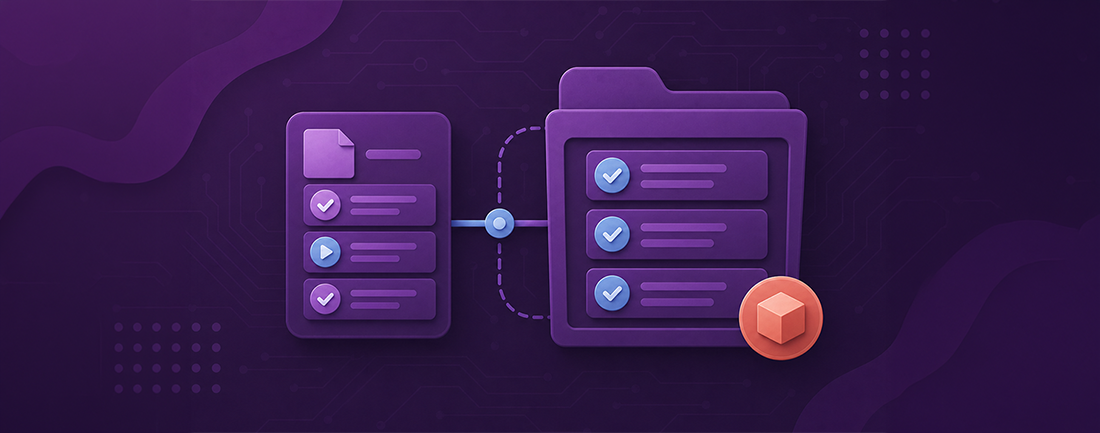
TEST CASES
Understanding Test Cases in Software Testing
A test case is a set of actions executed to verify a particular feature or functionality of a software application. Testing Engineers use test cases to determine whether a system operates as expected under varying conditions. There are two primary types of test cases:
- Functional Test Cases: Focus on the application or system operating according to the functional requirements.
- Non-Functional Test Cases: Aim to verify if the system performs according to non-functional requirements like load, volume, scalability, etc. Test cases are essential for ensuring that both functional and non-functional requirements are met, helping to confirm that the system or program behaves as intended.
Components of a Test Case
Writing effective test cases is crucial for testing success and involves understanding requirements, designing test scenarios, defining test data, and recording the actions and expected outcomes. Test cases should cover both:
- Positive Scenarios: Where the desired outcome is achieved.
- Negative Scenarios: Where errors or exceptions are expected due to inputs testing the system's robustness.
A well-structured test case includes:
- Test Case ID: Unique identifier for referencing the test case.
- Name and Description: Brief details about what is being tested.
- Test Steps: Clear instructions for executing the test, including specific actions and data entry required.
- Expected Results: The outcomes anticipated when the test steps are executed correctly.
- Preconditions: Conditions that must be met before the test can be executed.
- Postconditions: Conditions that must be satisfied after the test execution.
Types of Test Cases
Test cases can be categorized into logical and physical:
- Logical Test Cases: These are derived from the functional requirements of the system and are intended to validate the logical behaviors of the software.
- Physical Test Cases: These focus on the non-functional aspects such as performance, reliability, usability, security, and compatibility.
Each test case addresses a specific scenario aimed at a particular feature or behavior, providing a documented pathway, including the setup, execution steps, and expected results alongside actual outcomes for comprehensive evaluation.
Key Points of Test Cases in Software Testing:
- Purpose-Specific Evaluation: Each test case is crafted to assess a specific feature or functionality of the product, ensuring comprehensive coverage.
- Defined Objectives: The primary goals of test cases include validating functionality, identifying errors, and evaluating performance aspects of the product.
- Diverse Scenarios: Test cases encompass a variety of scenarios, including edge cases, error conditions, and common user interactions to ensure robust testing.
- Independence: Test cases operate independently of one another; the outcome of one does not affect the outcomes of others, which helps in isolating issues.
- Repeatability: Test cases can be executed multiple times to verify results and ensure the product’s stability and reliability over time.
- Detailed Documentation: Every test case is thoroughly documented, which includes detailing the necessary steps, expected outcomes, and specific conditions before and after the test.
- Requirement Linkage: Test cases are directly linked to requirements, ensuring that all tests are relevant and effectively validate the specified requirements.
- Adaptability: Test cases are flexible and can be adjusted or updated to reflect changes in software functionality or requirements, maintaining their effectiveness and relevance.
- Comprehensive Coverage: Collectively, test cases provide extensive coverage that spans all features, capabilities, and behaviors of the product, minimizing the risk of undetected issues.
- Feedback Mechanism: By detecting faults, verifying fixes, and refining processes, test cases create a feedback loop that helps elevate the overall quality of the software.
Types of Test Cases:
Test cases are categorized based on their objectives and focus areas. Here are some common types:
-
Functionality Test Cases:
- Purpose: Ensure the software operates according to the specified requirements.
- Examples:
- Testing the login process to ensure users can successfully log in with valid credentials.
- Verifying the search functionality to ensure it returns correct and relevant results.
-
Integration Test Cases:
- Purpose: Verify the data flow and interactions between different software modules and components.
- Examples:
- Testing the data exchange process between the front-end interface and the back-end database.
- Validating API integrations to ensure accurate data transfer between systems.
-
Regression Test Cases:
- Purpose: Ensure that new updates or changes do not disrupt existing functionalities or introduce new bugs.
- Examples:
- Retesting resolved issues to ensure they do not reoccur.
- Examining key functionalities for regressions after software updates.
-
Performance Test Cases:
- Purpose: Evaluate the software’s response time, scalability, and stability under different load conditions.
- Examples:
- Load testing to assess performance under typical and peak user loads.
- Stress testing to determine the software's robustness during high-stress conditions.
-
Usability Test Cases:
- Purpose: Assess the software's ease of use, accessibility, and user-friendliness.
- Examples:
- Testing navigation and layout to ensure they are intuitive and user-friendly.
- Evaluating accessibility to ensure the software is usable by people with disabilities.
-
Compatibility Test Cases:
- Purpose: Confirm that the software performs well across different hardware, operating systems, browsers, and devices. Examples:
- Testing the application on different browsers like Chrome, Firefox, and Safari to ensure consistent behavior.
- Evaluating the application across various iOS and Android devices to identify device-specific issues.
TEST SUITES
Understanding Test Suites in Software Testing
A test suite is a comprehensive collection of test cases, test scripts, or test procedures that are grouped together to achieve specific testing objectives. This organization facilitates a structured approach to testing by targeting particular features, functionalities, or modules within the software application.
Purpose and Composition of Test Suites:
Test suites are essential for managing and executing extensive tests across various aspects of a program systematically. They are particularly useful in streamlining the testing process, allowing for parallel or sequential testing which enhances overall efficiency and effectiveness.
Components of a Test Suite:
Test Cases:
- Definition: Individual tests designed to verify specific functionalities or behaviors of the application.
- Purpose: Each test case focuses on a particular feature to ensure it operates as intended.
Test Scripts:
- Definition: Scripts programmed to execute a series of actions in a test, automatically verifying the outcomes against expected results.
- Purpose: Facilitate automated testing that saves time and increases the precision of testing procedures.
Test Procedures:
- Definition: Detailed instructions that outline the steps to be taken, the data to be entered, and the expected results for manual tests.
- Purpose: Ensure consistency and comprehensiveness in manual testing by providing clear, step-by-step guidance.
Advantages of Using Test Suites:
- Efficiency: Enables testers to run multiple tests either concurrently or sequentially, making it possible to cover more ground in less time.
- Organization: Helps in the systematic evaluation of different software features by categorizing test cases that assess similar areas.
- Maintenance: Simplifies the updating and reusing of tests, which is especially beneficial across different testing cycles and projects.
- Automation Support: Supports automated testing by grouping compatible test scripts, which enhances testing speed and accuracy.
- Focused Testing: By grouping related tests, testers can concentrate on specific areas or functionalities, which improves the thoroughness of the testing process. Step Into Intelligent Automation Testing Now!
Usage in Testing Cycles:
Test suites are versatile and can be used across various stages of the software development lifecycle (SDLC). They are pivotal in regression testing where previously executed test cases are rerun to confirm that recent code changes have not adversely affected existing functionalities.
Key Points on Utilizing Test Suites in Software Testing
Test suites are crucial for achieving comprehensive testing coverage, enhancing efficiency, and streamlining testing processes. Here’s how they are typically utilized:
-
Organization of Test Cases:
- Purpose: Sort test cases based on their functionality, importance, or specific testing objectives.
- Benefit: Facilitates efficient management and execution by grouping relevant test cases, allowing testers to execute tests more systematically.
Efficient Execution:
- Method: Enables batch execution of tests, allowing several test cases to be run simultaneously rather than sequentially.
- Advantage: Saves time and effort, significantly speeding up the testing process.
Automation:
- Implementation: Involves grouping automated test scripts in test suites for batch execution.
- Benefit: Minimizes manual intervention, automates repetitive tasks, and accelerates feedback on software quality.
Regression Testing:
- Usage: Essential for organizing regression test cases to verify that new updates or changes have not adversely affected existing functionalities.
- Execution: These test suites are run following any software update to ensure all functions operate correctly.
Customization:
- Flexibility: Test suites can be tailored to specific needs or conditions; for example, a comprehensive regression test suite might cover a wide range of functionalities.
- Selective Testing: A smoke test suite might only include essential test cases to be executed immediately after a build.
Parallel Execution:
- Design: Some test suites are structured to run tests in parallel, allowing multiple test cases or scripts to execute simultaneously on different configurations or environments.
- Efficiency Gain: This method enhances test efficiency and reduces the overall time required for testing.
Analysis and Reporting:
- Post-Execution: Test suites are critical for generating detailed analyses and comprehensive reports on test outcomes.
- Decision Making: Helps testers evaluate results, identify defects, monitor coverage, and make informed decisions to improve software quality.
- Maintenance:
- Management: Provides a systematic approach to updating test cases and scripts, accommodating new features or changes in software requirements.
- Upkeep: Testers can easily update test suites to incorporate new tests or modify existing ones based on evolving needs.
Types of Test Suites:
Test suites are essential tools in software testing that organize test cases to check various aspects of software functionality and performance. Each type of test suite targets specific testing requirements and objectives:
-
Functional Test Suites:
- Purpose: Ensure the software operates according to its functional requirements.
- Contents: Include test cases that cover user interfaces, data processing, calculations, input validations, and business logic.
- Usage: Critical throughout the software development lifecycle to verify that features perform correctly and meet user expectations.
-
Regression Test Suites:
- Purpose: Detect regressions or unintended changes after updates, bug fixes, or enhancements.
- Contents: Comprise critical test cases from functional and integration testing to ensure key functionalities remain unaffected by changes.
- Usage: Frequently executed after code modifications or updates to ensure existing functionalities are intact and to identify adverse side effects.
-
Integration Test Suites:
- Purpose: Evaluate interactions and data flow between various system modules or components.
- Contents: Include scenarios that test end-to-end processes, communication protocols, and API integrations.
- Usage: Vital during system integration phases to ensure components work together seamlessly.
-
Performance Test Suites:
- Purpose: Assess software performance under various conditions, including load, stress, and scalability scenarios.
- Contents: Contain tests like load testing, stress testing, scalability testing, and more to measure response times and system behavior under different loads.
- Usage: Help identify performance bottlenecks, ensure compliance with performance standards and guarantee a positive user experience under peak loads.
-
Usability Test Suites:
- Purpose: Determine the ease of use, accessibility, and intuitiveness of the software.
- Contents: Focus on navigation, layout, content presentation, and accessibility features.
- Usage: Conducted with real users or usability experts to gather feedback, identify usability flaws, and prioritize enhancements to enhance user satisfaction.
-
Compatibility Test Suites:
- Purpose: Verify that the software performs well across various environments and setups.
- Contents: Include tests across different operating systems, browser types, hardware configurations, and network environments.
- Usage: Essential for ensuring the software operates reliably on all supported platforms and configurations, thereby minimizing compatibility issues.
Different types of Suite executions
In software testing, the execution of test suites can be approached in various manners to meet specific needs and enhance efficiency. Here are some distinct types of suite executions used within testing frameworks like Fireflink:
Parallel Test Suites Execution
-
Overview: This involves running multiple test cases or scenarios simultaneously rather than sequentially.
-
Benefits: Significantly reduces the overall execution time of the test suites, especially when the tests are independent and do not interfere with each other.
-
Use Case: Ideal for large projects with many independent tests, parallel execution helps in maximizing resource utilization and decreasing time spent.
-
Sequential Execution:
-
Overview: Sequential test execution refers to the process where test cases are run one after the other in a specified order.
-
Procedure: Each test case starts only after the previous one has been completed, ensuring no overlap or concurrent execution.
-
Benefits: Maintains the integrity of test conditions and is useful for test scenarios where the outcome of one test might impact another.
-
Distributive Suite Execution:
-
Overview: Distributive test execution spreads the execution of tests across multiple nodes or machines in a distributed computing environment.
-
Functionality: Allows parallel processing of tests on different nodes, enhancing the efficiency of resource use and reducing overall test execution times.
-
Application: Effective in environments where test loads are heavy and resource optimization is crucial.
-
Manual Suite Distribution Execution:
-
Overview: This method involves manually assigning specific test suites to designated nodes or machines within a distributed network.
-
Control: Testers can strategize the distribution based on the complexity of test suites, testing priorities, and available resources.
-
Advantages: Offers testers control over the allocation and execution of tests, ensuring that resources are optimally utilized and that tests are conducted in the most suitable environment.
Success Story: How FireFlink Revolutionized Automation for a Major Supply Chain Management Firm.
-
Background and Scope:
- Company Overview:
- A logistics technology firm powered by top-tier supply chain experts and developers.
- Provides robust supply chain orchestration with a control tower feature, ensuring comprehensive visibility and control over freight shipments via cloud-based solutions.
- Application Details:
- The software offers customizable off-the-shelf solutions tailored to client-specific needs.
- Developed functional test cases for the web platform, covering 170 scenarios, including 100 functional and 70 end-to-end (E2E), across modules such as Data Management, Document Management, and Time Slot Management.
-
Challenges:
- Time Constraints:
- Difficulty in accurately estimating testing times due to the absence of established test cases.
- Potential for increased rework due to insufficient documentation, complicating the tracking and resolving of issues.
-
FireFlink's Solution:
- Simplification and Efficiency:
- FireFlink’s Natural Language Processing (NLP) capabilities allow easy automation of any application, simplifying complex automation tasks.
- Its unified structure aids in efficiently organizing and documenting test scripts, which enhances clarity and traceability.
- Features like real-time debugging and precise failure point identification significantly simplify problem-solving in script execution.
- Improved script reusability by 40%, optimizing both time and resource utilization during the testing phases.
-
Results and Impact:
- Enhanced Testing Framework:
- By integrating FireFlink, the company significantly boosted the efficiency and quality of their software testing processes.
- FireFlink not only facilitated detailed logging and error snapshot capabilities but also provided video recordings of script errors, which drastically improved debugging accuracy.
- Email reports and step filters introduced by FireFlink refined the debugging process further, enhancing team collaboration and communication.
Conclusion:
The adoption of FireFlink transformed the supply chain management company’s testing operations by streamlining the automation process, enhancing error identification and debugging, and significantly cutting down on the time and effort required for testing. FireFlink proved to be a pivotal tool in strengthening the company’s software testing framework, driving better quality, higher efficiency, and greater control in their software delivery process.
FireFlink’s capabilities not only addressed the initial challenges head-on but also provided lasting improvements, setting a new standard in automated testing within the supply chain management domain.