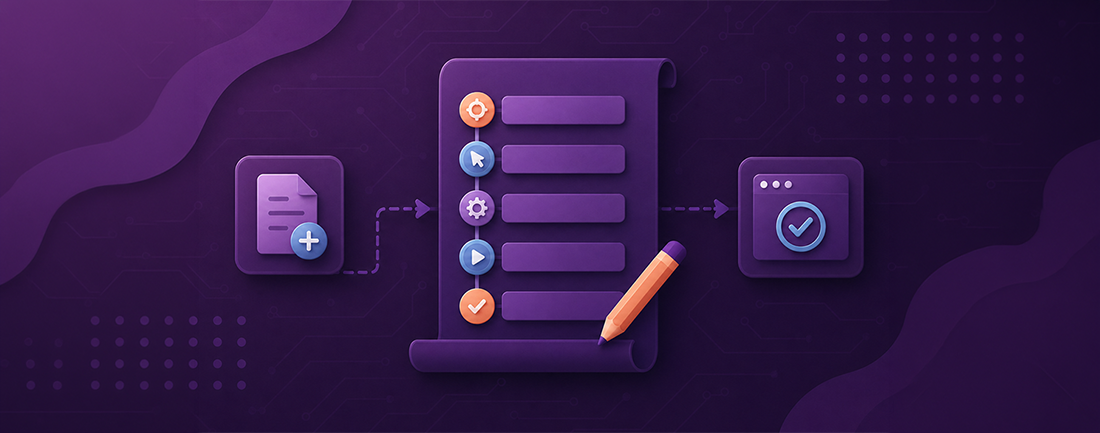
Using Traditional Methods
The several processes involved in creating test scripts for software testing to guarantee complete coverage and correctness are:
1. Understand Requirements: To start, ensure you fully comprehend the needs and specifications of the software. To write pertinent and useful test cases, this is essential. Get a thorough grasp of the features, functionality, and operations of the program. This will support the creation of useful test scenarios.
2. Identify Test Scenarios: Determine the different test scenarios that must be addressed in accordance with the requirements. High-level explanations of the things you wish to test, including data validation, system performance, or user login, are called test scenarios. Choose which test cases need to be handled based on the requirements and user flow for the application. Getting in and out of websites, submitting forms, and so forth.
3. Create Test Cases: Write thorough test cases for every test scenario. Preconditions, post-conditions, test stages, inputs, and anticipated outcomes should all be included in test cases. To guarantee uniformity throughout all test cases, use a template. For each defined test scenario, create thorough test cases.
4. Select Test Automation Tool: Depending on the program under the test's technological stack, choose an appropriate test automation tool. Popular tools include Selenium, Appium, JUnit/TestNG, and FireFlink.
5. Write Test Scripts: Create test scripts based on the previously prepared test cases using the automation tool of your choice. Test scripts ought to check the anticipated results and automate the test procedures specified in the test cases.
6. Data Preparation: Assemble the test data needed for the test's execution. To cover a range of circumstances, both valid and invalid data are included.
7. Implement Test Framework: To properly arrange and oversee your test scripts, use a test framework. Configurations, reusable function definitions, test data processing, and test report generation are all included in this.
8. Execute Test Scripts: Use a continuous integration (CI) tool such as Jenkins, or execute the test scripts manually.
9. Analyze Test Results: Examine test outcomes following execution to find any flaws or problems. Prioritise problems according to their severity by entering them into a defect tracking system such as Jira.
10.Iterate and Improve: Constantly refine your test scripts in response to user input, requirements modifications, or found flaws. As needed, update the scripts, test cases, and test data.
11. Regression Testing: Rerun test scripts to make sure that no regressions have been introduced by recent updates or patches.
12. Documentation: Keep a record of every test case, script, data, and outcome, as well as any problems that arise. For the next testing cycles, this documentation acts as a guide.
Using FireFlink Platform:
1. Creating a Project:
A project that allows for the creation and modification of project components, requirements, and structures may be created by the user.
A Base URL and Port text field appear if the "Web Services" project is chosen. These areas allow users to add information.
The user must enter a project name and a Web URL to establish a Web-type project.
When establishing a mobile automation project, choosing the Platform (Android/iOS/Android & iOS) and App Type (Native/Hybrid) are essential stages. For ease of usage, these fields are shown prominently.
2. Creating the elements Repository:
A repository is an organized, centralized place to store program elements, step groups, and user interface (UI) elements (Web, Android, iOS, and Mobile Web) used in script development.
UI components include, among other things, radio buttons, checkboxes, forms, buttons, text boxes, and menus. By giving developers ready-made components with which to swiftly construct apps, the usage of UI elements streamlines the design process. Additionally, UI components provide a consistent and user-friendly interface, which facilitates user interaction with the program.
3. Preparing Test Data:
To get the required outcome while executing test scripts, input data must be supplied. An application must run a series of data sets to do load testing, which evaluates the program’s performance under varying loads. Similar to this, stress testing includes overloading an application with data to find its breaking point. A substantial amount of data must be used for both kinds of testing. As a result, the information required to run the test scripts may be kept in special files. This data can be valid or invalid. In a nutshell, test data is the data required to execute test scripts efficiently and confirm that the software programs under test produce the intended outcomes.
4. Development of Manual Test Cases:
Test engineers can easily build, arrange, and run manual test cases with FireFlink's user-friendly interface. Manual test cases and the automated test scripts that go with them are easily mapped.
Test engineers can record test procedures, anticipated outcomes, actual outcomes, and any extra remarks or attachments. Each manual test case's status, including whether it is pending, ongoing, or finished, may also be monitored.
FireFlink's manual test cases function as an all-inclusive store for manual testing tasks, guaranteeing correct test documentation and effective test execution.
5. Development of Automation Test Scripts:
FireFlink is a tool that uses Natural Language Processing (NLP) to create test scripts, which are human-readable and intuitive test steps. These scripts help define actions and validations during the testing process, allowing users to accurately represent the intended scenarios and automate the process. FireFlink displays the expected result after execution, allowing users to assess if observed behavior aligns with expected results. Test scripts automate repetitive tasks, saving time and effort. They streamline testing processes, improve efficiency, ensure consistency, and achieve higher test coverage.
6. Executing the Test Scripts:
Users can initiate the script by clicking on the run icon, and the results are displayed at both step and consolidated script levels. FireFlink generates a comprehensive report after running an automation script, providing insights into each automation step's status and execution details. To view the overall script-level results, users can click on the result status next to the corresponding test scenario.
7. Creation & Execution of Suites:
Users can develop and execute test suites—which are collections of modules and scripts—in the Execution workspace. Test engineers can conduct many types of test suites there, including sanity, regression, and smoke tests. Users may effectively organize their testing workflows and execute test suites inside this workspace.
Modules, sub-modules, and scripts make up the suite. Suites are designed to evaluate an application's behavior or collection of behaviors.
8. Result Analysis:
FireFlink offers users two levels of results after executing automation scripts. They can view individual step results and an overall script result, providing comprehensive insights into the script's performance and success. Users can access the result page by clicking on the "Capsule button beside the execution name" or by clicking on script status.
Conclusion:
FireFlink demonstrates itself as a thorough test automation platform that addresses many QA-related problems. Its features include end-to-end automation support, simple scripting, efficient test case administration, and hyper-automation. BBy leveraging FireFlink's AI-powered UI element finder, templatized platform, and no-code capabilities, QA can get over common testing roadblocks and increase efficiency and reliability in their testing process.